
Help Scout alternative at less than half per conversation
Compare Help Scout with Intake if your team keeps answering the same questions and the answer depends on each customer's data.
In short
Intake or Help Scout?
Help Scout fits if you are five or fewer: its free plan covers the whole inbox and adds three months of unlimited AI resolutions, the cheapest way to test whether AI takes tickets off your plate. Intake fits once those months end: there each resolution costs $0.75 on top of $25 to $75 per user, and here conversations come inside a plan from 49 EUR a month.
Trusted by teams at:








- and 20+ more companies
Three reasons to look for a Help Scout alternative
They weigh most when the team is small and the answers depend on each customer’s data.
The inbox sorts; a person resolves
Every conversation gets neatly classified and assigned. And every one is still read, investigated and answered by someone on the team.
It does not look at plan, settings or usage
Answering “why can’t I invite someone” means opening another tab and checking the account. The inbox does not do it for you.
The repeated ones come back every week
If nobody documents the answer, the same question comes in again on Monday. Saved replies help; they do not close it on their own.
Receiving the question is easy. The hard part
is resolving it.

How do I invite someone to the team?

Where can I change the billing details?

Can someone help me set this up?

I cannot access the dashboard.

Why do I not have permission for this?

The integration is throwing errors.

Is this included in my current plan?

How do I connect this to Slack?

Can you explain how this flow works?

Can I change the billing contact?
The difference is in the questions that repeat. With Help Scout, the ones that depend on each customer’s data usually end up with someone on your team. Intake answers them by checking that data and passes to a person only what it cannot resolve.
Having your conversations organized helps, but it does not close them. What matters is how many a person still has to answer.
01
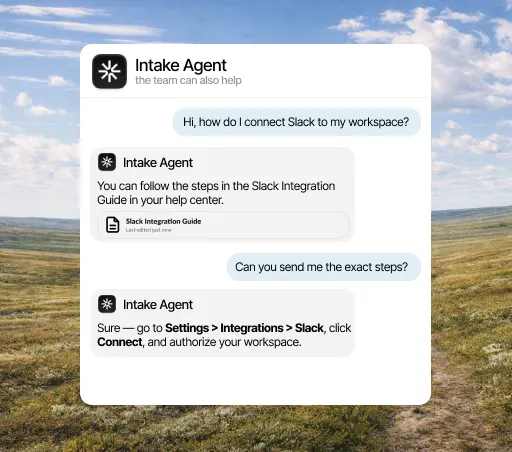
Checks the account before answering
Before replying, the agent looks at that customer’s plan, settings, usage and history, as well as your documentation.
See the inbox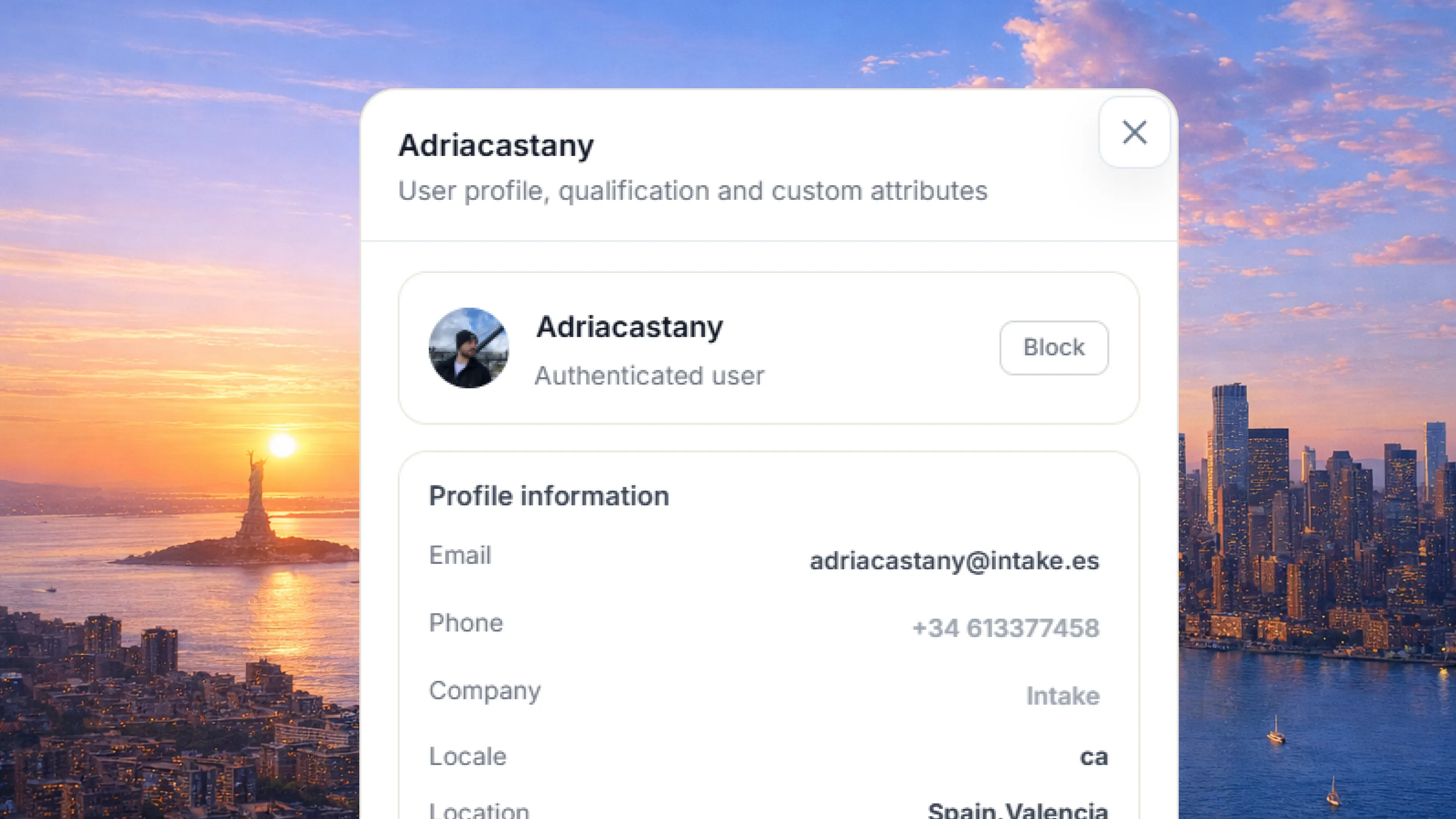
02
Gets the task done in the conversation
Connected to your API, the agent does what the customer asks, like extending a trial or changing a plan, instead of explaining how.
See actions03
Passes to a person what it cannot resolve
The conversation reaches your team with the history, the account data and an internal note on what has already been tried.
See the handoff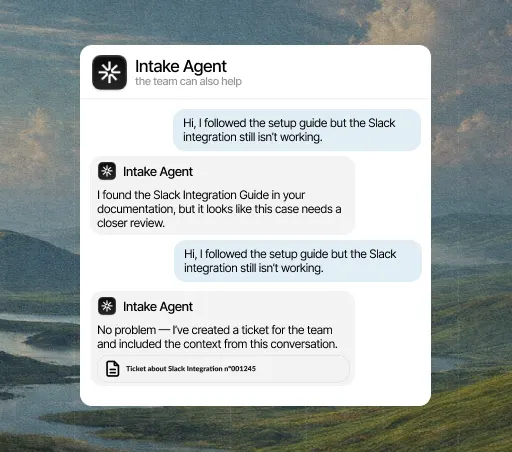
The decision
When switching pays off
It pays off if your team answers the same questions every week and the answer depends on each customer's data: their plan, their invoice, their order. If that is not you, Help Scout still does the job and there is no reason to replace a tool that works. To find out, look at how much of your queue repeats. A ten-day trial with no card is enough to see it.
See pricing
Comparison
Intake and Help Scout, point by point
Row by row, from what Help Scout publishes on its own site. Each row is a sentence, because a yes or no rarely tells you enough.
| Criterio |  Intake Intake | |
|---|---|---|
| Focus | Sí: AI agent that answers, takes action and passes to a person what it cannot resolve. | No: Shared inbox and knowledge base built for people to reply. |
| Automatic resolution | Sí: Resolves the repeated tickets with AI before they reach a person. | No: Every conversation depends on someone from the team answering it. |
| Account data | Sí: Checks plan, settings and usage before answering. | No: Does not automatically check the customer’s plan, settings, or usage. |
| What it is for | Sí: For AI to resolve without losing a simple inbox. | No: A simple inbox for small teams that answer everything by hand. |
| When Help Scout fits better | — | Sí: If you are five or fewer, their free plan covers the whole inbox and they throw in three months of unlimited AI resolutions: it is the cheapest way there is to test whether AI takes tickets off your plate. When those three months end the maths changes: $0.75 per resolution sits on top of the $25 to $75 per user of the plan, while our conversations come inside a flat plan from 49 EUR a month. |
Based on what each product publishes, as of October 2026. The row with no Intake mark is the case where Help Scout is the better fit.
Depending on your case
Situation by situation, which one fits
It depends on the size of your team and the kind of question you get most. These are the usual situations, including the ones that do not favor us.
You want AI to resolve repeated questions by checking your product data.
Intake Intake checks the data and gets the task done in the conversation itself.You already have a large support team with established ticketing processes.
Help Scout Help Scout may fit better at that stage.Support volume is growing fast and you want to delay hiring.
Intake Intake resolves the repetitive part before it reaches a person.Your team will grow this year and you do not want the support bill to grow with it.
Intake We charge for conversations, not per person, so adding people does not raise the bill.Your customers write in several languages and your documentation is in one.
Intake The agent answers in the language of the question even when the article is written in another.
Step by step
How to move from Help Scout
You do not have to switch everything at once. Start with the questions that repeat most, connect the account data needed to answer them and decide when a person should step in.
See how Intake fits SaaS teams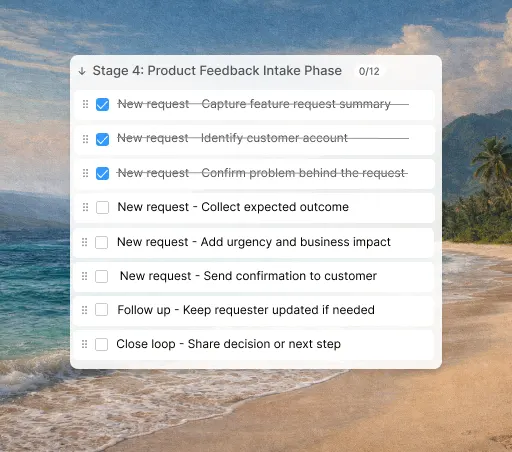














Your customers’ data,
in the EU and under your control.
Intake runs on AWS in the European Union and complies with GDPR. The agent only reads and does in your systems what you allow, and your team can review every answer.
- GDPR
- Data in the EU
- AWS with SOC 2
Questions about Intake and Help Scout
How much does Intake cost?
A flat plan by conversations: 200 a month for EUR 49 on annual billing (EUR 59 monthly), 800 for EUR 129 and 2,000 for EUR 289. Month to month, EUR 59, 159 and 359. VAT excluded, and there is no per-seat charge.
What counts as a conversation?
One conversation thread, however many messages it takes. A customer who asks three follow-up questions in the same thread counts once.
What happens if I go over the limit?
The agent pauses until the next cycle and your team keeps answering. There is no overage charge or service cut, and the invoice does not change.
What data does the agent read?
Your documentation and the account data you expose through your API: plan, settings, usage and whatever else you decide. You choose which lookups it can make and how far it goes.
Which languages does it answer in?
It answers in the language of the question, even when the article is written in another one.
How long does it take to get running?
You connect the help center you already have and it starts answering from there. Actions against your API take a little longer because you choose what the agent can do, but nothing needs rewriting to start.
Why choose Intake instead of Help Scout?
Because when your customers ask about their invoice or their permissions, a generic article does not solve it. Intake checks the data, takes the action and passes to your team what it cannot resolve.
Do I have to drop Help Scout to try Intake?
No. The usual way is to keep Help Scout and start Intake on the questions that repeat most. If it does not resolve them, you have lost ten days and no money.
Is there any case where Help Scout is the better choice?
Yes, and the table above says which. It is usually a team with settled processes and few repeated questions. If yours is the opposite, with the same question twenty times a month and answers that depend on each customer's plan, Intake is the better fit, and the ten-day trial lets you check.
