
AI support for developer tools and APIs
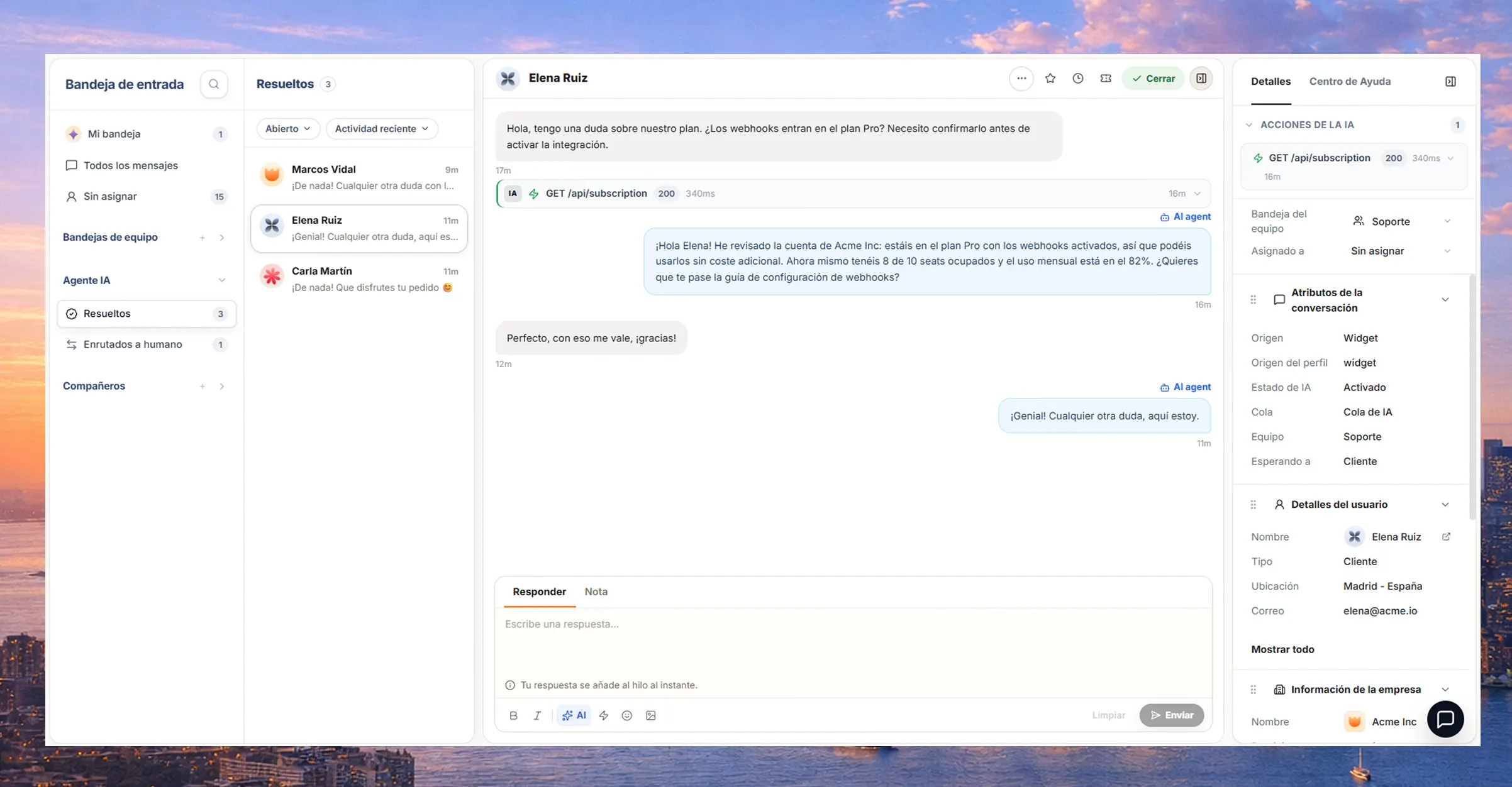
Your users ask about auth errors, rate limits and webhooks that fail. The AI agent reads your docs, the account data and your logs, and answers with the exact reason or calls your API to resolve it.
Trusted by teams at:









- and 20+ more companies
STEP 1
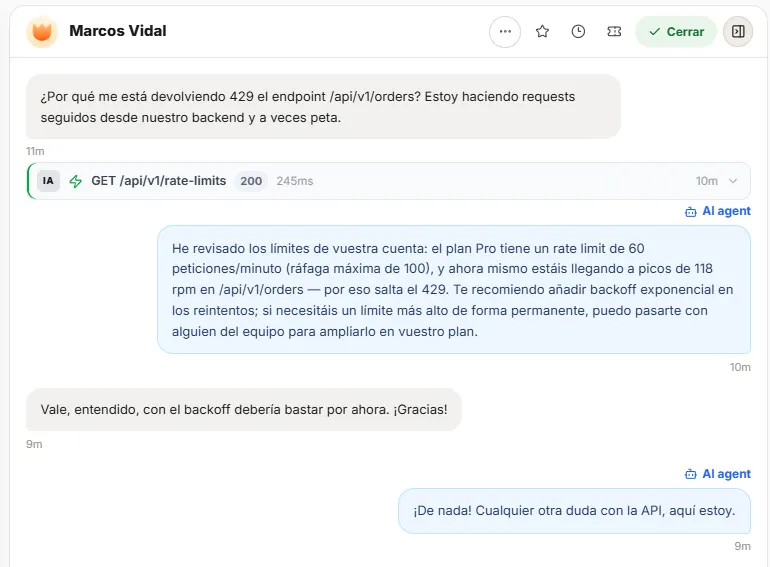
Reads the account and logs
Checks plan, scopes, rate limits and the account’s recent requests.
STEP 2
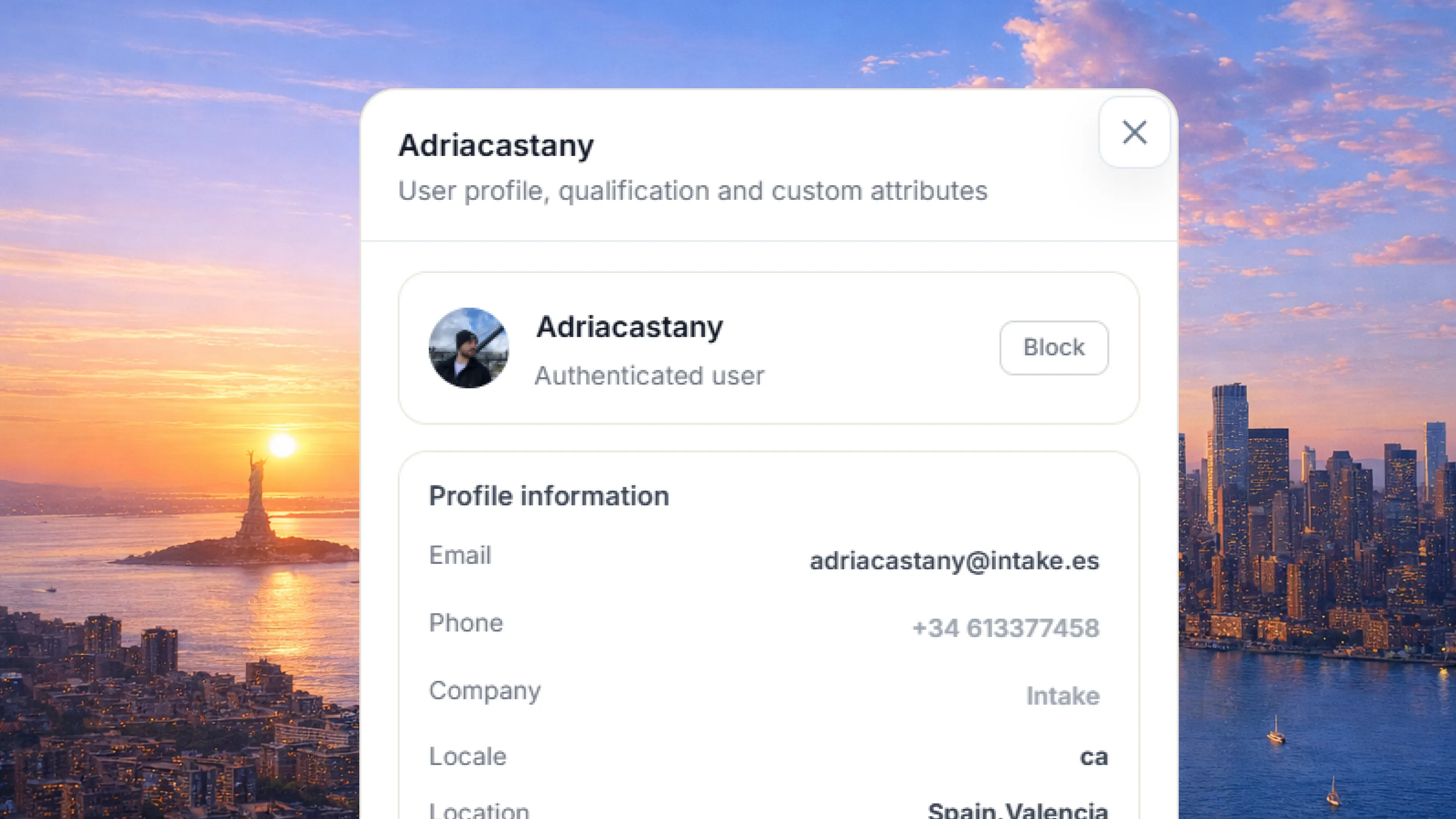
Cross-checks your docs
Combines that with your docs and changelog to explain the cause.
STEP 3
Resolves with actions
With your rules, it makes the GET or POST call that fixes the issue, or hands the case to your team with full context.
TYPICAL ERRORS
Unauthorized
Checks the API key and scope, and explains what is missing.
TYPICAL ERRORS
Forbidden
Reviews permissions and plan, and shows what unlocks access.
Why it fits a technical product
Actions in your API
GET and POST to the endpoints you define, with the scopes you authorize.
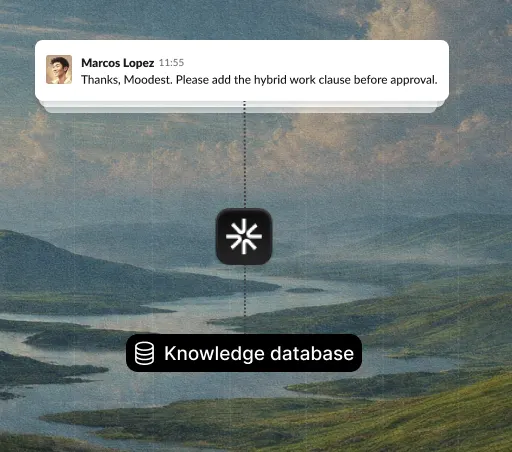
Understands your docs and changelog
Answers using the error format and terminology your product already uses.
Hands off with technical context
Your team gets the account, the logs and what the agent already checked, along with the user’s message.
Without generic helpdesk pricing
No paying per seat for a help desk that can’t read your API. Your whole team is included in the same price.














Connect your tools
GitHub, Slack, Jira and your own API: the agent reads and writes where you already work.
See all integrationsYour customers’ data,
in the EU and under your control.
Intake runs on AWS in the European Union and complies with GDPR. The agent only reads and does in your systems what you allow, and your team can review every answer.
- GDPR
- Data in the EU
- AWS with SOC 2
Frequently asked questions
How does it read my logs and API state?
You expose the endpoints and access level you want. The agent checks plan, scopes, rate limits and recent requests before answering.
Can it fix the error automatically?
With actions, yes, within the rules you define: for example, regenerating a key, resetting a limit or retrying a webhook.
Does it understand our technical documentation?
Yes. Connect your docs, changelog and spec (OpenAPI or similar) so it answers with your exact terminology.
What happens with cases it can’t resolve alone?
It hands the case to your team with the account, the relevant logs and what it already checked, so nobody starts from scratch.
How much is it and how do I start?
The Starter plan is €59/mo (€49/mo billed yearly), with no per-seat cost and 200 conversations per month included; Pro and Scale go up to 800 and 2,000. You start with a 10-day free trial, no card.
