Skip to content

System prompt

Adrià Castany 2 min

What is the system prompt?

The system prompt is the fixed set of instructions a model receives before every conversation. Who it is, what it can and cannot do, what tone it answers in and what to do when it does not know something. The user never sees it and it is sent on every request.

Also called

system instructions, system message

Topic
AI in support
On this page
  1. System prompt and user prompt
  2. Why it matters
  3. What it has to carry
  4. Say what to do, not only what not to do
  5. It is code, even though it looks like text
  6. How Intake handles it
  7. Frequently asked questions

System prompt and user prompt

The user prompt is what the person in the conversation writes, and it changes with every message.

The system prompt is written by the company, is the same in every conversation and takes priority. When the two clash, the model should follow the system prompt, and checking that it does is part of the job.

Why it matters

It is the cheapest thing to adjust and what changes an agent’s behavior most.

Before considering training a model or switching provider, there is nearly always room here. Most strange answers come from ambiguous instructions, not from the model.

What it has to carry

Five blocks.

The last one is what separates a careful agent from a dangerous one.

  • What the product is and who it serves.
  • What information it may use to answer.
  • What tone and length it answers in.
  • What it must never do, such as inventing figures or promising deadlines.
  • What to do when a fact is missing, which is to say so and hand the conversation to a person.

Say what to do, not only what not to do

"Do not invent prices" works worse than "if you are asked a price and it is not in the context, say you will confirm it and hand the conversation to a person".

A prohibition leaves the model with no way out; an alternative gives it one.

It is code, even though it looks like text

It changes behavior in production, so it deserves version control, review and a way to check that a change does not break what was working.

Editing it by hand in a panel with no history is like deploying without a repository.
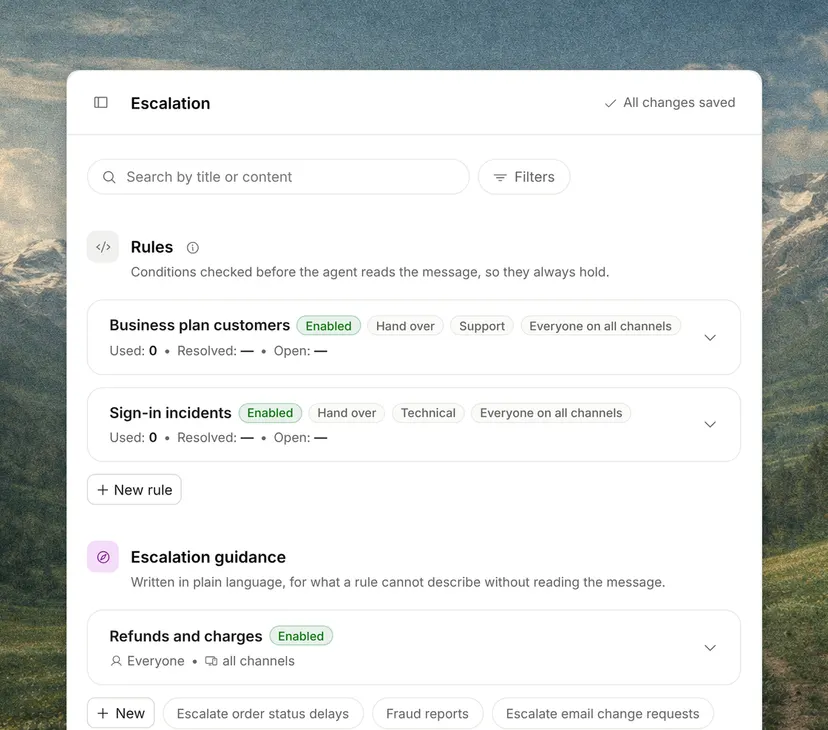
How Intake handles it

Frequently asked questions

How long should a system prompt be?

As long as it needs to cover the cases that matter, and not one line more. It takes up context window on every request and is paid for every time. If it grows without stopping, it usually means somebody is patching case by case instead of fixing the underlying instruction.

Can the user see the system prompt?

They should not, but it is worth writing it as if they could. Attempts to extract it are routine, and a prompt that would say nothing embarrassing if it leaked is a better-written prompt.

How often should the system prompt be reviewed?

When the product, a policy or the company’s tone changes, and every time a real conversation shows a case that was not foreseen. Each change is tested against the same cases before it goes live.

Glossary

Keep reading

Glossary

Related terms

See the full glossary

Add it without dropping what you use

15 minutes, no commitment