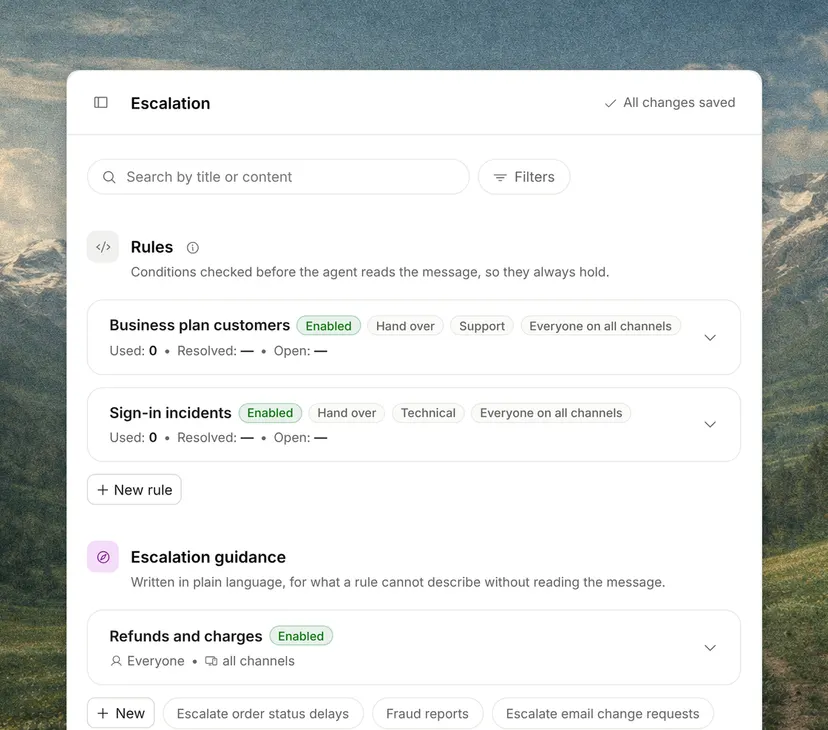
Escalating is not reassigning
Reassigning is passing a conversation to a colleague at the same level, for workload or shift reasons.
Escalating is passing it to someone with more knowledge or more permissions. The difference matters when measuring, because many reassignments say something about distribution and many escalations say something about the documentation or the product.
Why it matters
It is the most expensive operation in support and the one done worst.
Expensive because it doubles the time spent and usually interrupts somebody more expensive; done badly because the history almost never travels with the conversation, so the customer explains the problem again and whoever picks it up repeats the diagnosis that had already been made.
What has to travel with the conversation
What the customer asked, what has already been checked, what has been ruled out, and why it stopped.
If any of the four is missing, whoever receives the case starts from zero, and the customer, who has already been waiting a while, has to tell the whole story again.
Escalating early is not failing
An agent wrestling for half an hour with something outside their remit costs more than one who escalates in two minutes.
What gives a bad escalation away is that it arrives with no information, or at the wrong person.
Escalation from an AI agent
It is the least flashy part of an automated agent and the one that shows most.
A system that always answers, even when it does not know, leaves the person with an angry customer and a conversation that has to be undone. One that recognizes its limit and hands the case to a person with everything it found out saves time.
What to measure
The percentage of conversations escalated, where they go, and how many come back down a tier.
A high return rate means the wrong things are being escalated; a high rate of escalations to engineering means there is a product problem.
Types of escalation
They differ in who receives the conversation and why.
- Functional. To whoever has the knowledge, such as second tier, engineering or billing.
- Hierarchical. To whoever has the authority, such as a manager who approves an exception.
- Automatic. Triggered by a rule, such as a deadline about to expire or a high priority.
- From an AI agent to a person. When the agent does not know, cannot act or the customer asks.