Skip to content

Shared inbox

Adrià Castany 3 min

What is a shared inbox?

A shared inbox is the one place where a whole team answers customer messages, with every conversation assigned to an owner, given a status and visible to everyone with its history. It brings email, chat and other channels together and replaces forwarding emails between colleagues.

Also called

team inbox, shared mailbox, collaborative inbox

Topic
Support concepts
On this page
  1. Why it matters
  2. What separates it from an email alias
  3. The rule that makes it work
  4. What a shared inbox for customer service needs
  5. A shared inbox for IT support
  6. How to set one up
  7. When it stops being enough
  8. The Intake inbox
  9. How Intake handles it
  10. Frequently asked questions

Why it matters

It is the first step for any support team and the one that changes day-to-day work most.

Without it there is no way to know how many questions are outstanding, no way to split the work, and every absence blocks whatever that person had half-finished. Above all, it makes the work visible.

What separates it from an email alias

An alias distributes copies; a shared inbox assigns responsibility.

With an alias, two people answer the same thing or nobody answers anything, and both situations show up in the first week.

The rule that makes it work

Every conversation either has an owner or is unassigned, and no intermediate status means "somebody is probably looking at it".

The moment there is a grey area, that grey area fills up.

What a shared inbox for customer service needs

The minimum for a team to answer customers without stepping on each other.

  • Every channel in the same list, email, website chat and WhatsApp.
  • An owner per conversation and views such as Unassigned and Assigned to me.
  • Internal notes and mentions, to ask a colleague without forwarding anything.
  • Saved replies for what is always answered the same way.
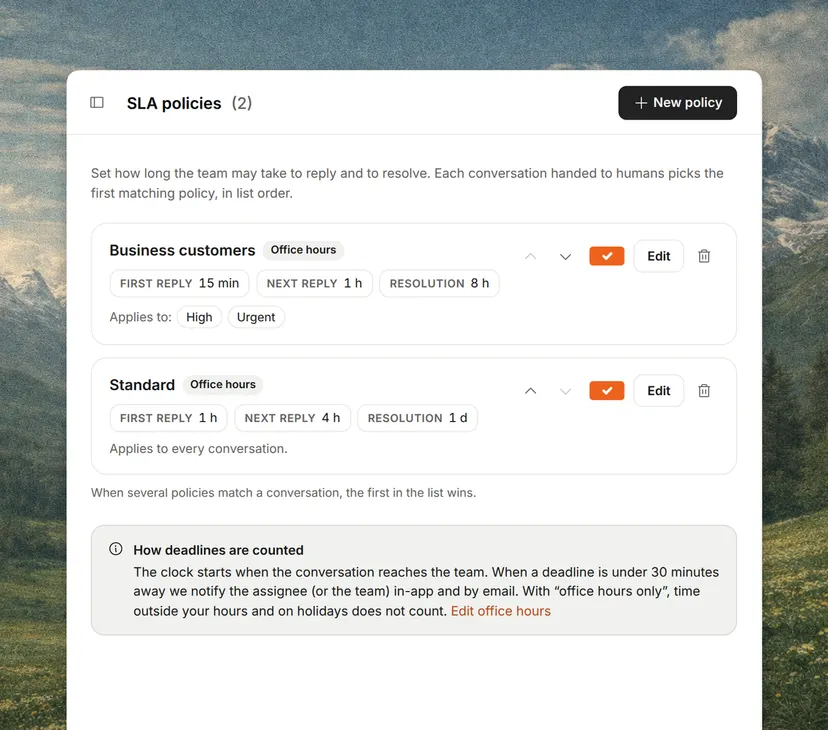
  • Response targets and a warning before they are missed.
  • The customer’s data next to the conversation.

A shared inbox for IT support

An IT support team, internal or a service provider, gets incidents, requests and questions mixed together.

On top of the above it needs priorities by impact, a category per type of problem (access, configuration, errors), a link to the issue tracker when the fault is in the product, and articles for what repeats, such as restoring access.

How to set one up

It can be running in an afternoon.

  • Connect the email addresses and the channels customers already use.
  • Create the teams and decide who sees what.
  • Agree the rule that every conversation has an owner or is unassigned.
  • Write saved replies for the ten most repeated questions.
  • Set response targets by priority or by channel.
  • Check the unassigned view every day.

When it stops being enough

When most replies need data living in another tool.

At that point the bottleneck stops being organization and becomes the distance between the conversation and the data.

The Intake inbox

It brings website chat, email, WhatsApp and Slack into one list.

The AI sets the topic and picks the team, and each team assigns by hand, in turns or to whoever has the fewest open conversations. Next to every conversation sit the customer’s data and what the AI agent already checked, and the agent resolves first whatever does not need a person.

How Intake handles it

Frequently asked questions

What is a shared inbox in customer service?

The tool that lets several people answer the same channels without replying twice to the same message or leaving one unanswered. Each conversation has an owner and a status, and anyone can see what is pending.

Can a shared inbox be used for IT support?

Yes, as long as it handles priorities, categories and response targets, and links to the issue tracker when a request turns out to be a bug. Without those, IT requests get answered in arrival order rather than by impact.

Is a shared mailbox in Outlook or Gmail enough?

To start with, yes. It gives everyone the same emails, but it usually does not show who owns each conversation or what state it is in, which is exactly what stops two people answering the same message. It does not bring in chat or WhatsApp either.

Shared inbox or help desk?

The shared inbox is one part of what a help desk does. Many teams start with an inbox and add the rest (help center, reports, automations) when they need it.

From how many people does it become necessary?

From two. With a single person answering, a well-organized mailbox holds up considerably longer than people tend to say.

Glossary

Keep reading

Glossary

Related terms

See the full glossary

Add it without dropping what you use

15 minutes, no commitment